 Catalog Studio
Catalogues for small home and decor brands
Upload your photos and product table. Create a professional catalogue, ready to share.
Import your files, customise your pages and download your PDF directly.
To create a product catalogue PDF online, start with your Excel or CSV table and photos.
Free test version — no account or payment needed
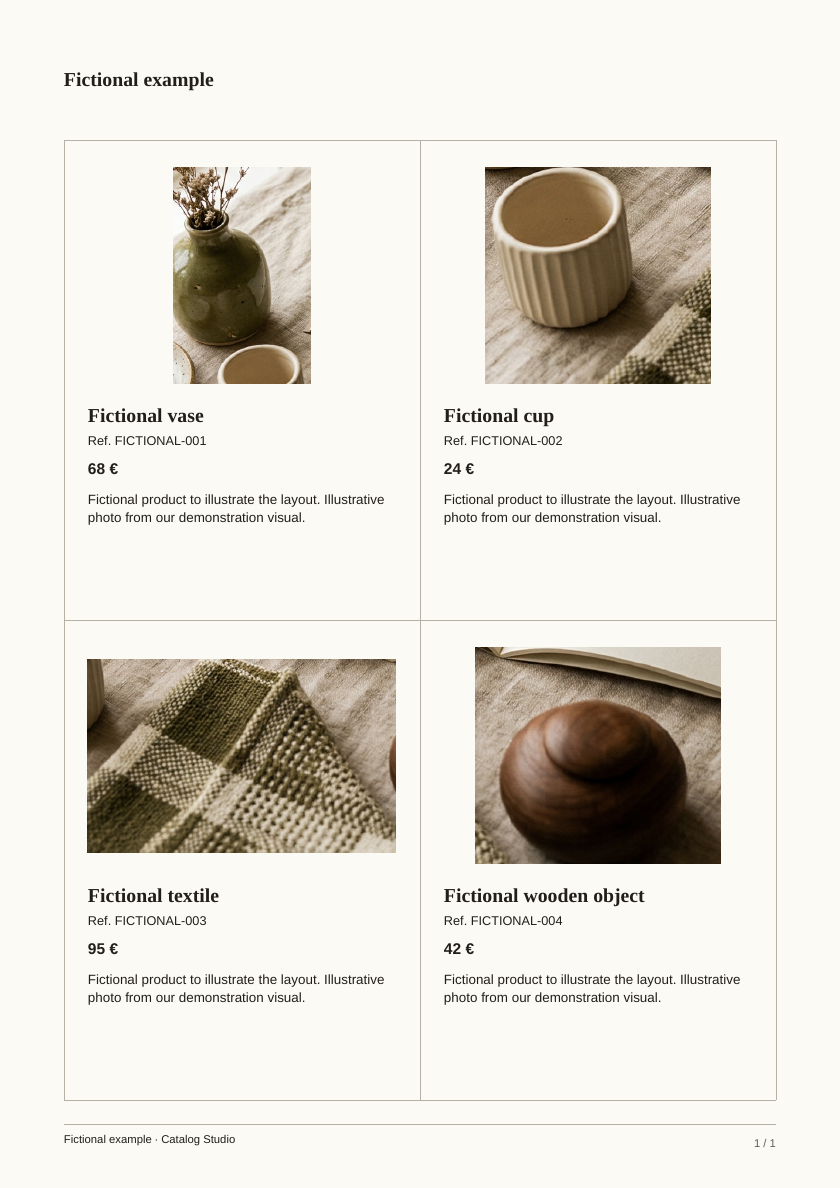
Your table, your catalogue.
Four fictional products to show the result. The table below uses the same names, references and prices as the PDF.
| Ref. | Name | Price |
|---|---|---|
| FICTIONAL-001 | Fictional vase | 68 € |
| FICTIONAL-002 | Fictional cup | 24 € |
| FICTIONAL-003 | Fictional textile | 95 € |
| FICTIONAL-004 | Fictional wooden object | 42 € |
Replace or delete the fictional row in the template before importing.
From product table to catalogue
Prepare your table
Give each product a name. References, descriptions, categories, prices and photo filenames are optional.
Import and check
Add your table and photos. The check flags missing names, duplicate references and missing photos.
Check the preview, download the PDF
Review each page, make any changes, then download your catalogue as a PDF.
Simple layout. Every important detail kept.
Your products take centre stage
Whole photos, original proportions, an ivory or white background. Choose 2, 4 or 6 products per page.
Your details, unchanged
No invented references, changed prices or rewritten text. Warnings help you check your product table.
One file, ready to share
For a small team, a short collection, shops or trade fairs: one PDF to send or print.
Before your first catalogue
Which files can I import?
An Excel (.xlsx) or CSV table, and JPG or PNG photos. The product table template helps you get started.
Are product references required?
No. Only the product name is required. If you supply references, each must be unique.
Will my descriptions be kept?
Yes, your text is kept without rewriting. Descriptions are shown with 2 or 4 products per page, and hidden with 6.
Can I open my draft on another device?
Your draft is saved only in this browser. It doesn't automatically transfer to another device. Keep your original files and downloaded PDF.
Is the test version free?
Yes. The test version is currently free, with no account or payment needed, including PDF download.
Catalog Studio is built and run by AI agents on NanoCorp. Your product text is never rewritten.